
How Bus Aunty stays online — plus a first look at Mini
Hi there!
Have you updated to v1.08 yet? If you have, how’s it going? Good or bad, do let me know.
And if you haven’t — don’t worry. The older v1.0x builds still run just fine, and I have no plans to deprecate the old APIs. Ever.
A small outage last week
There was a short outage last week on my database provider, Supabase. It’s resolved now, but this is just the reality of hosting anything on the internet these days. If you’re curious how Bus Aunty actually runs behind the scenes, here’s the stack:
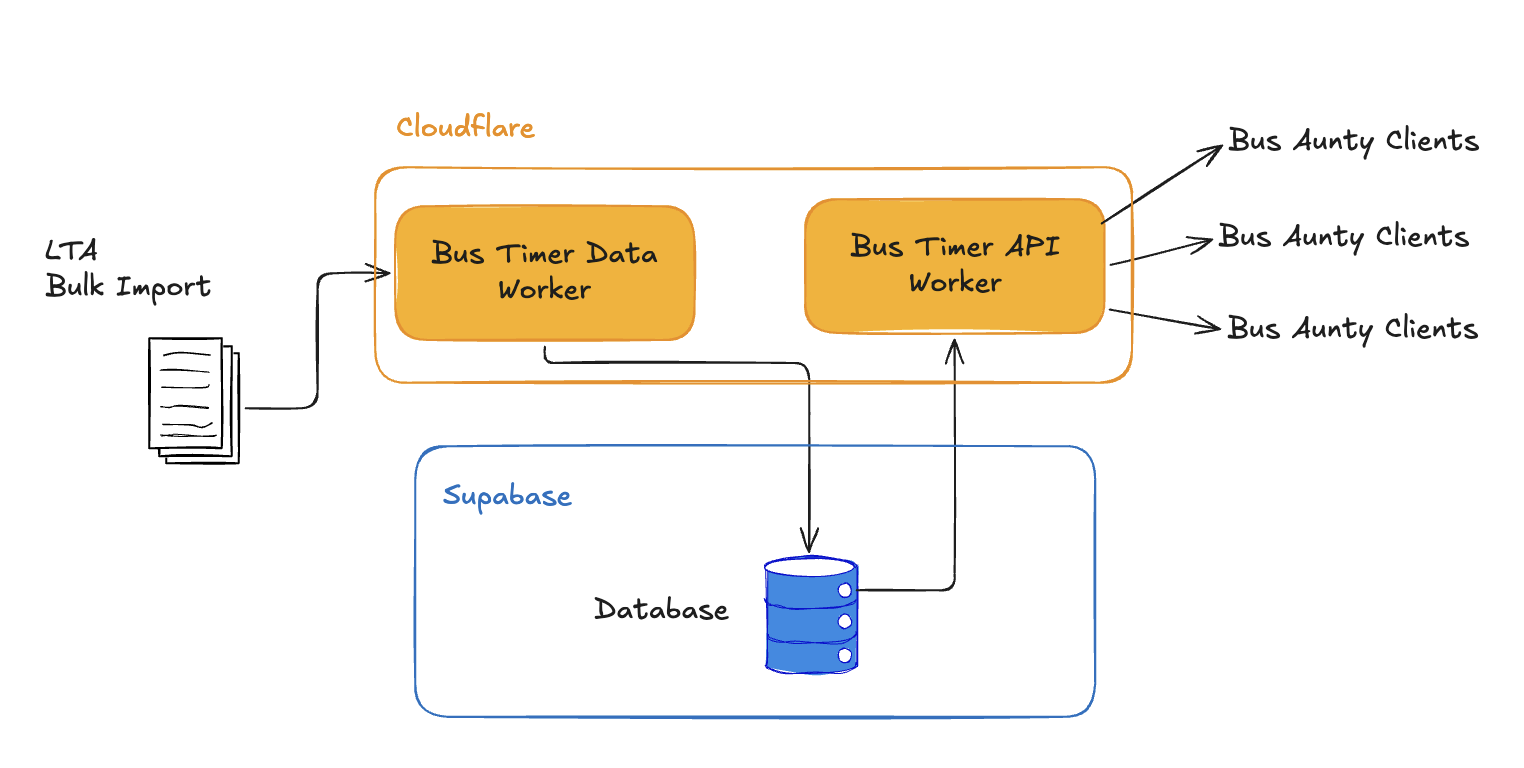
How Bus Aunty runs behind the scenes
LTA provides the bulk arrival data for every bus at every stop in Singapore. I import that with a Data Import worker on Cloudflare every 30 seconds (LTA rate-limits the bulk feed to once every 20 seconds).
All of that lands in the Supabase database — which I’m also considering replacing soon. The write/read costs and overall size are fine (the whole dataset is only about 70MB). The problem is a new Logging feature Supabase added that they plan to start charging for in 2027. It’s somehow the biggest chunk of my usage, and I can’t seem to turn it off.
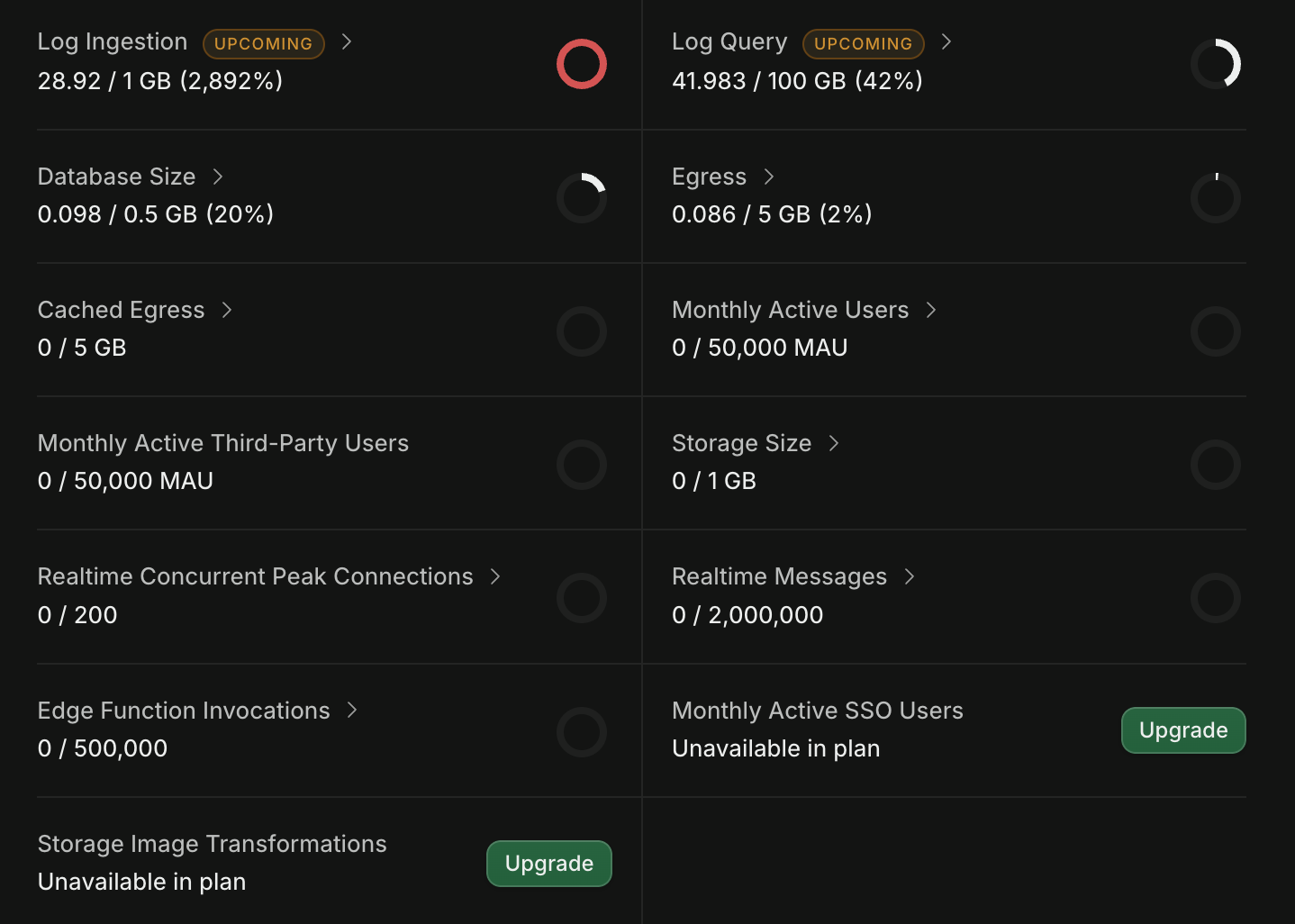
Supabase logging is somehow the biggest chunk of usage
I don’t charge any subscription for Bus Aunty, so I have to keep running costs low to keep this going long-term. Right now the whole stack sits at about $25 a month, which feels very reasonable for ~35 million requests a month.
So as long as Cloudflare doesn’t change its pricing, and I find a Supabase alternative before 2027, I think we’ll be fine.
Coming up: Bus Aunty Mini
Something I’ve been working on for too long (embarrassingly) is the new Bus Aunty Mini.
I wanted to fix the things I couldn’t get right on the current version, which is why it’s taken this long.
A sturdier kickstand. The biggest feedback was that the kickstand on the current Bus Aunty is too flimsy and the device keeps falling over. On Mini, the kickstand is sturdier, with a locking mechanism so it doesn’t flip back in as easily. I stole the idea from supermarket shopping baskets — you rotate and pull to lock it in place. I’ll make a short demo video soon.
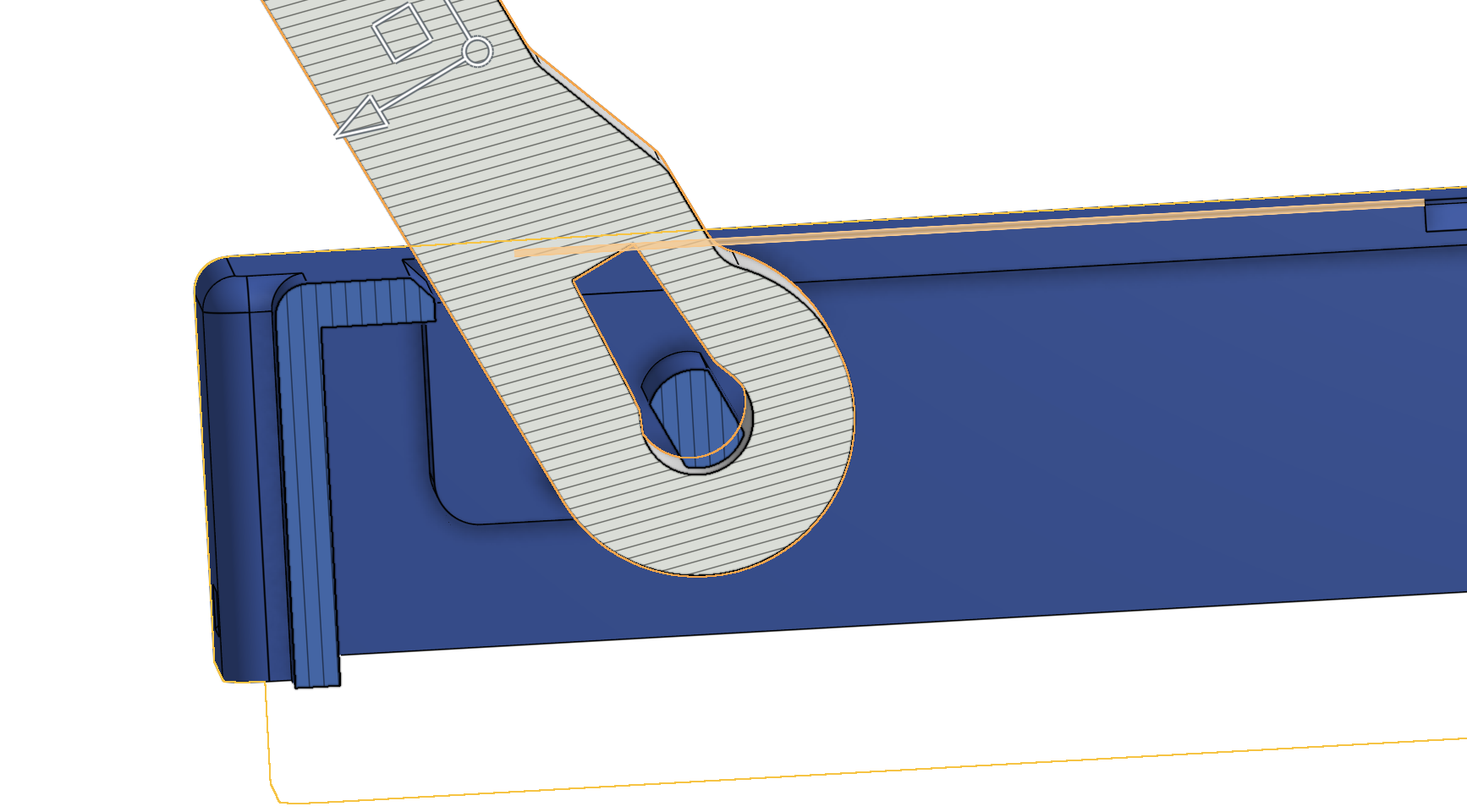
Mini’s sturdier kickstand locks in place
A more affordable size. The other big complaint is price. 7.5" e-ink displays aren’t cheap, and they don’t get cheaper in a straight line as they get bigger. A 4.2" display should make Mini more affordable so more people can enjoy it. The trade-off: it only shows one bus stop at a time. That’ll work for a lot of people, and I’m looking at ways to squeeze two stops onto one screen later.
Better wall mounting. The current Bus Aunty only has one centred wall-hook hole, which doesn’t really work — the unit isn’t perfectly balanced, so even a neat hang will slowly rotate. Mini has two holes on the back so you can use two hooks and keep it straight. I also moved the electronics to the centre so the USB cable runs through the middle of the device.
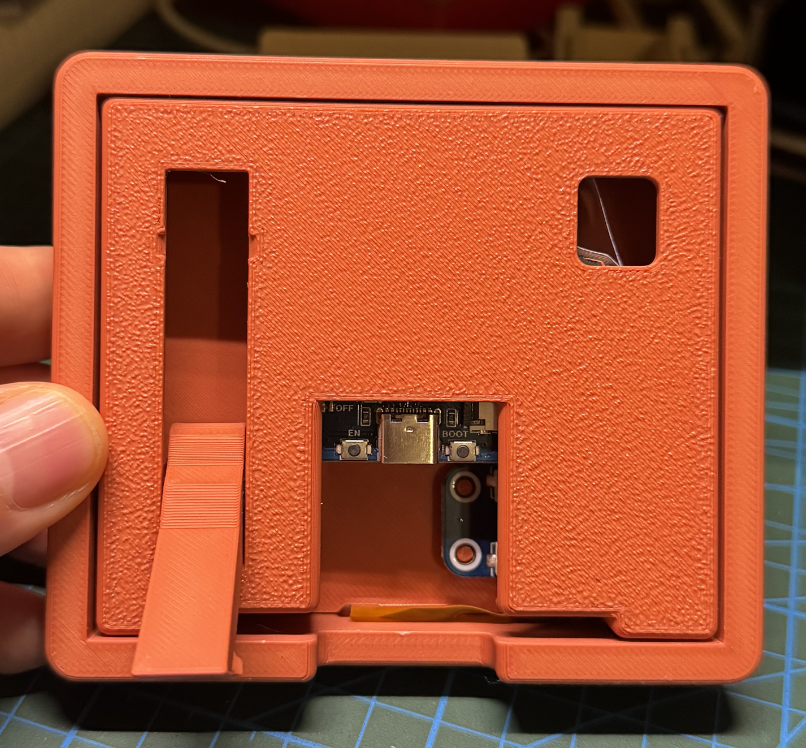
Two wall hooks keep Mini straight; USB runs through the middle
I’m getting close to the final Mini, but I do have one question for you: colours.
The prototypes right now are in terracotta red, but I’m thinking of brighter colours too — something that stands out on a desk or shelf.
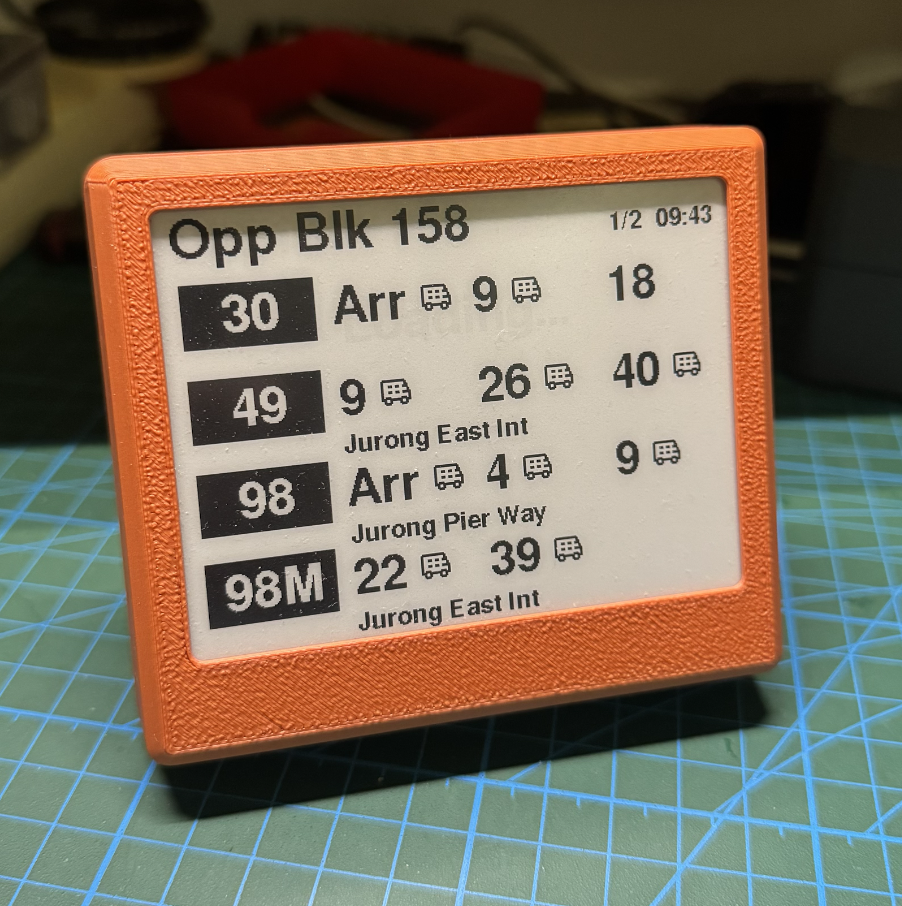
Current Mini prototypes in terracotta red
What colours would you like to see on Mini? Just reply to this email and tell me.
Never Waiting at a Bus Stop,
Lionel