
The biggest Bus Aunty update yet (v1.08)
Hi there,
I'm about to release the biggest Bus Aunty update I've ever made, and it'll probably be the last big one for a while. (I'll explain why at the end.)
Same bus, different direction
This update tackles something I've put off for the longest time: how Bus Aunty should show buses that share a service number but travel in different directions.
You've probably seen this in other bus apps. They show a service like 53, then tell you the next bus is a "2nd visit", or show you where that bus is headed.
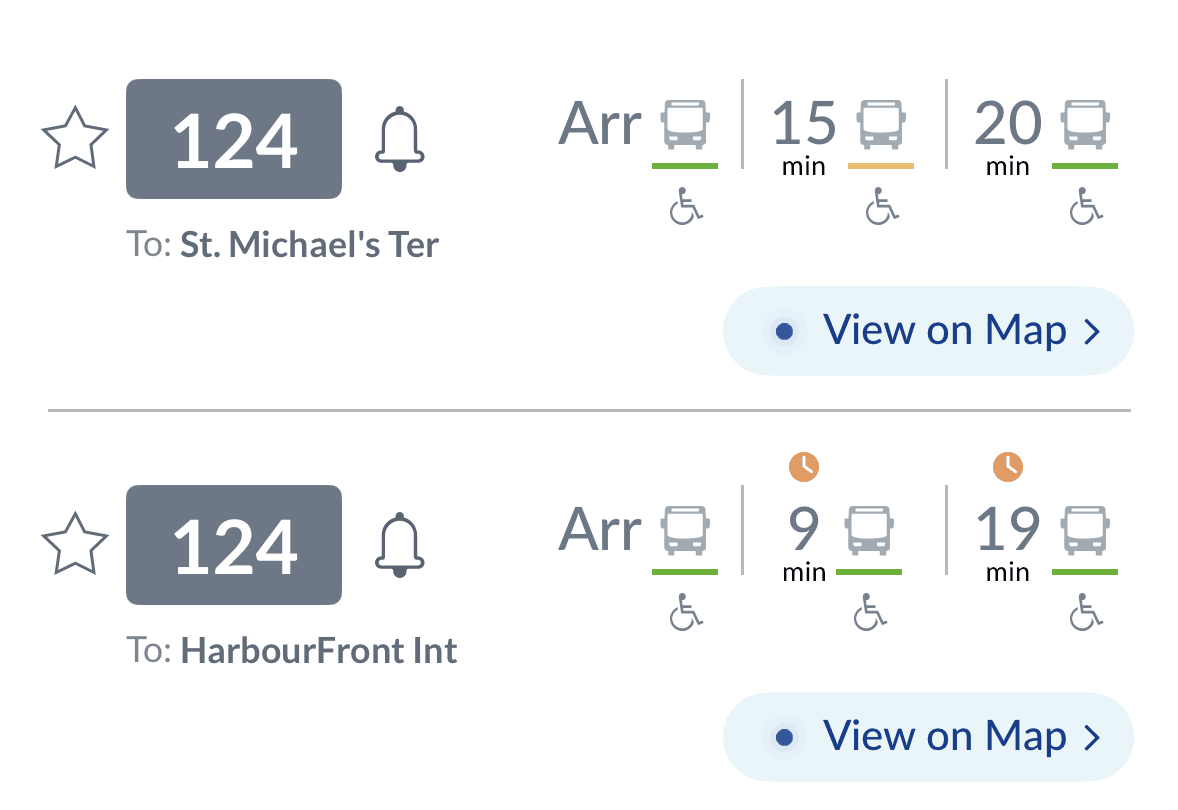
How other bus apps show the same service going two ways
Honestly, I avoided this one for months. I wasn't confident I understood the problem well enough to solve it, and my own bus stop doesn't have any of these services, so I never ran into it myself.
When I finally sat down to crack it, it turned out to be way more complicated than I expected. I won't go into all the detail here (maybe in a future issue), but the short version is that the information about which services loop or run in both directions comes from a separate LTA data feed. I have to pull that in and cross-check it against the bus data Bus Aunty already uses.
Getting that to work reliably for every bus service at every stop in Singapore, without burning through my wallet or my brain, was quite the challenge. I believe I've solved it. But I only really know the looping services around my own area, so I can't promise it's 100% right everywhere yet. If something looks off at your stop, just reply to this email and let me know.
Where's this bus going?
While I was at it, I also added the direction for every service, so you don't have to remember where each bus goes.
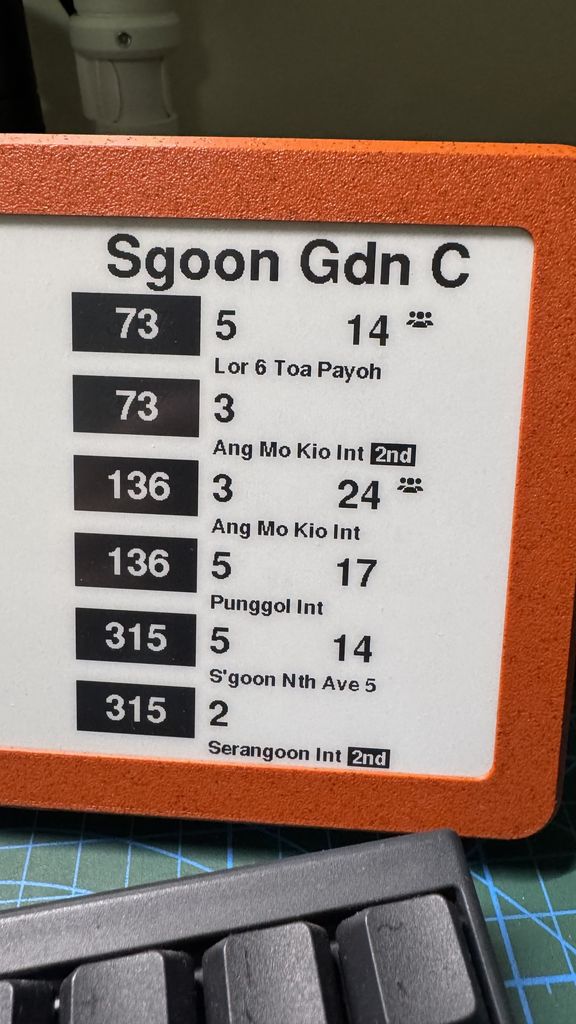
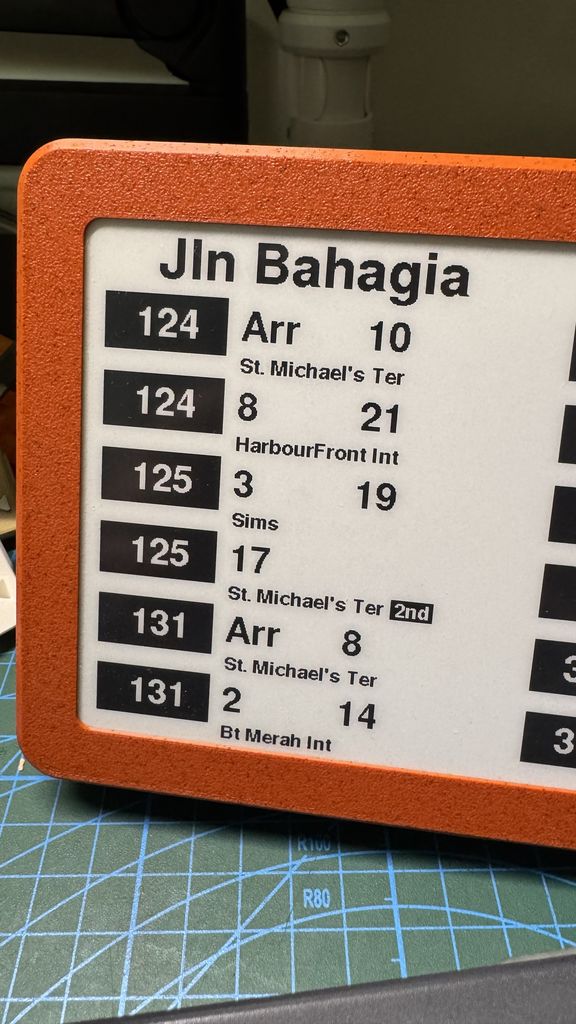
Bus Aunty now shows where each bus is headed, and flags 2nd visits
This one's really for my mum. She can never remember which bus goes where, so she'd always ask me before checking her Bus Aunty. Now she doesn't have to.
How to get v1.08
Every Bus Aunty shipped from now on comes with v1.08 already installed. If you already have one, you'll need to update it by hand this one time. The steps are here: update guide
The good news is that this is the last manual update. From v1.08 onwards, Bus Aunty can update itself.
What's next
I hope you're enjoying your Bus Aunty as much as I enjoy mine, and I'll keep improving it as much as I can. That said, the current chip is running at its limit, with almost all of its memory already in use. That's why this is likely the last big update for a while.
I do plan to move to a newer chip eventually, but newer chips cost quite a bit more right now because of memory shortages driven by AI demand and other global issues.
If you've read this far, thank you! I've got a few more surprises coming, including a Bus Aunty with a 4.2-inch screen that's perfect for a small desk, and the Bus Aunty Micro, a portable keychain-sized version.
Keep on building!
Lionel