
Updating your Bus Aunty just got easier
Hey there!
A few of you told me you weren’t keen on downloading a suspicious-looking file onto your computer or phone just to update your Bus Aunty. Fair enough!
So I built a web portal that does it for you.
Update from your browser
1. Go to install.busaunty.com, plug in your Bus Aunty and click Install Latest Firmware.
Heads up: the installer works in Chrome or Edge on a computer, not on phones.
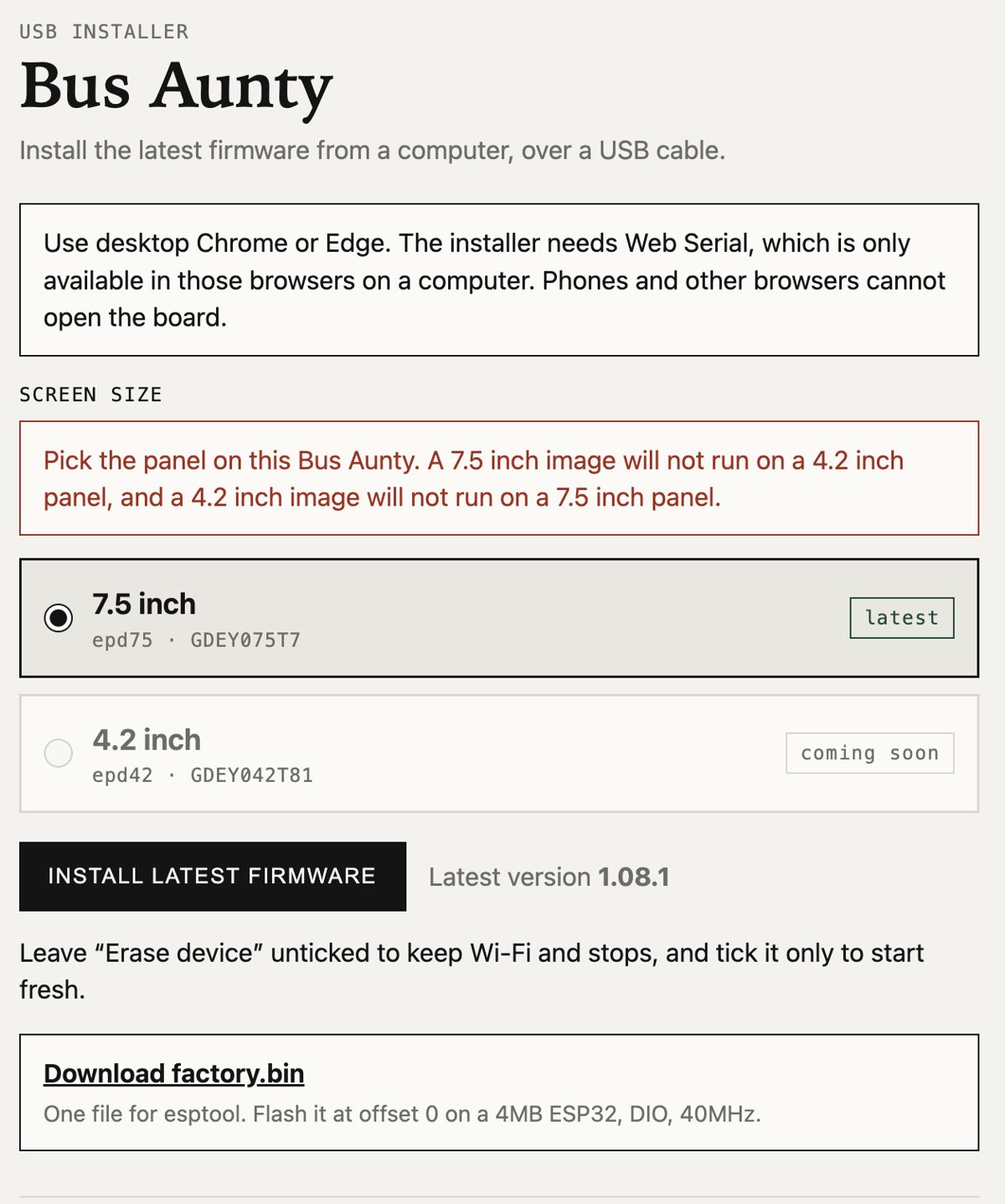
The new installer at install.busaunty.com
2. Pick your device in the browser window that pops up, then connect.
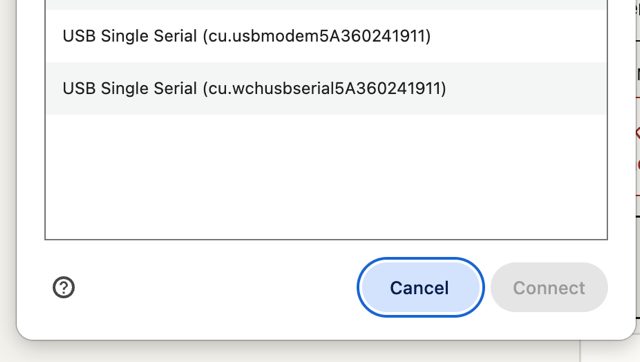
Select your Bus Aunty and connect
3. Choose whether to erase. Tick it for a full erase, or leave it unticked to keep all your Wi-Fi settings and stops.
One note: your laptop might need the CH340 or CP210x drivers to detect the Bus Aunty properly. The links are on the install page.
Hopefully that makes updating your Bus Aunty easier than ever.
Third arrival times are here
Ever since I teased it on the Bus Aunty Mini, a lot of you have asked for the third arrival time on your Bus Aunty. With firmware 1.08.1, you can have it.
I’ve made it a setting you can switch on and off, because honestly, the screen can get a little crowded with all those numbers.
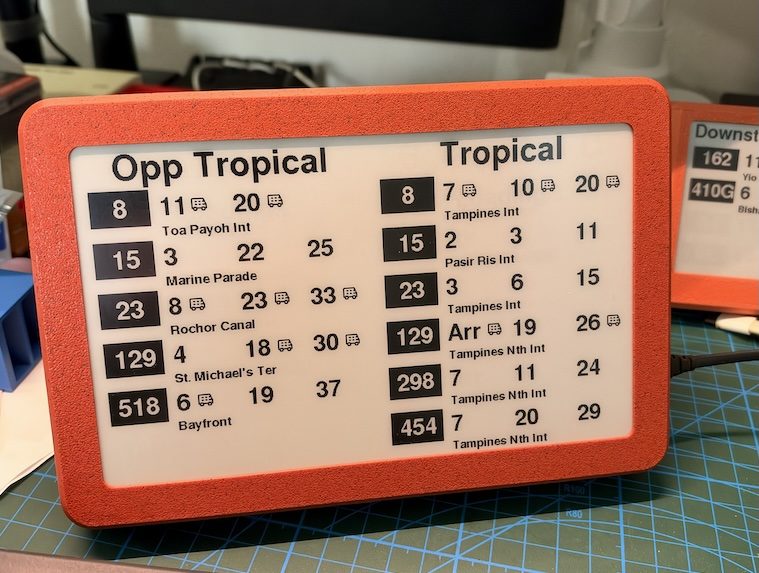
Three arrival times per bus, switched on
To switch it on, open your settings page at bus-aunty.local and scroll to Display at the bottom. Turn on Show a third arrival.
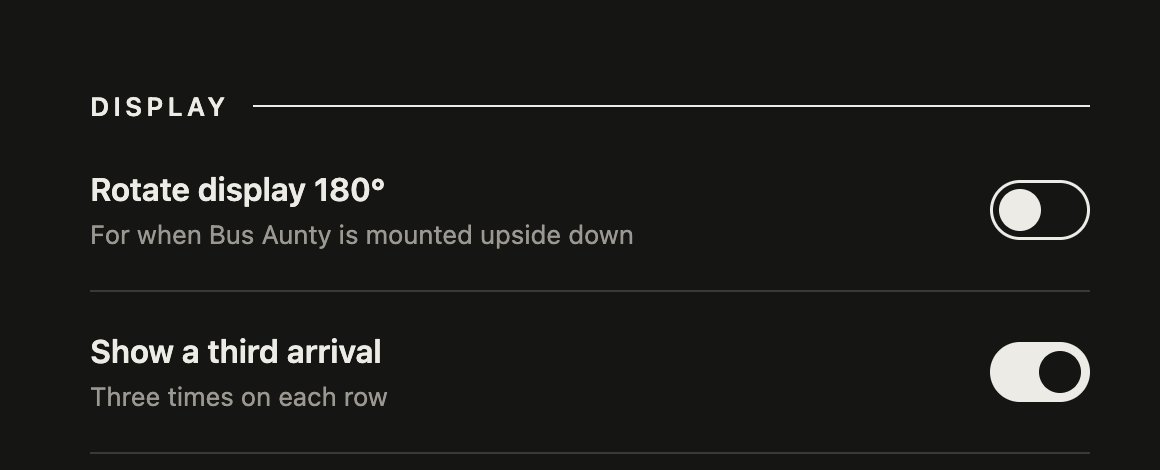
Turn it on under Display in your Bus Aunty settings
Already on v1.08? Just visit bus-aunty.local on your home network and check for the latest firmware to update to 1.08.1.
Let me know how it goes!
I’m still working on releasing the Bus Aunty Mini before the end of the year. I think it’ll make a great stocking stuffer for Christmas.
Till next time!
Never Waiting at a Bus Stop,
Lionel